Sign in
Sign in to Sayvara with your work email and password or an emailed sign-in link, and complete two-step verification.
Open app.sayvara.ai in your browser. The page is called Sign in to Sayvara.
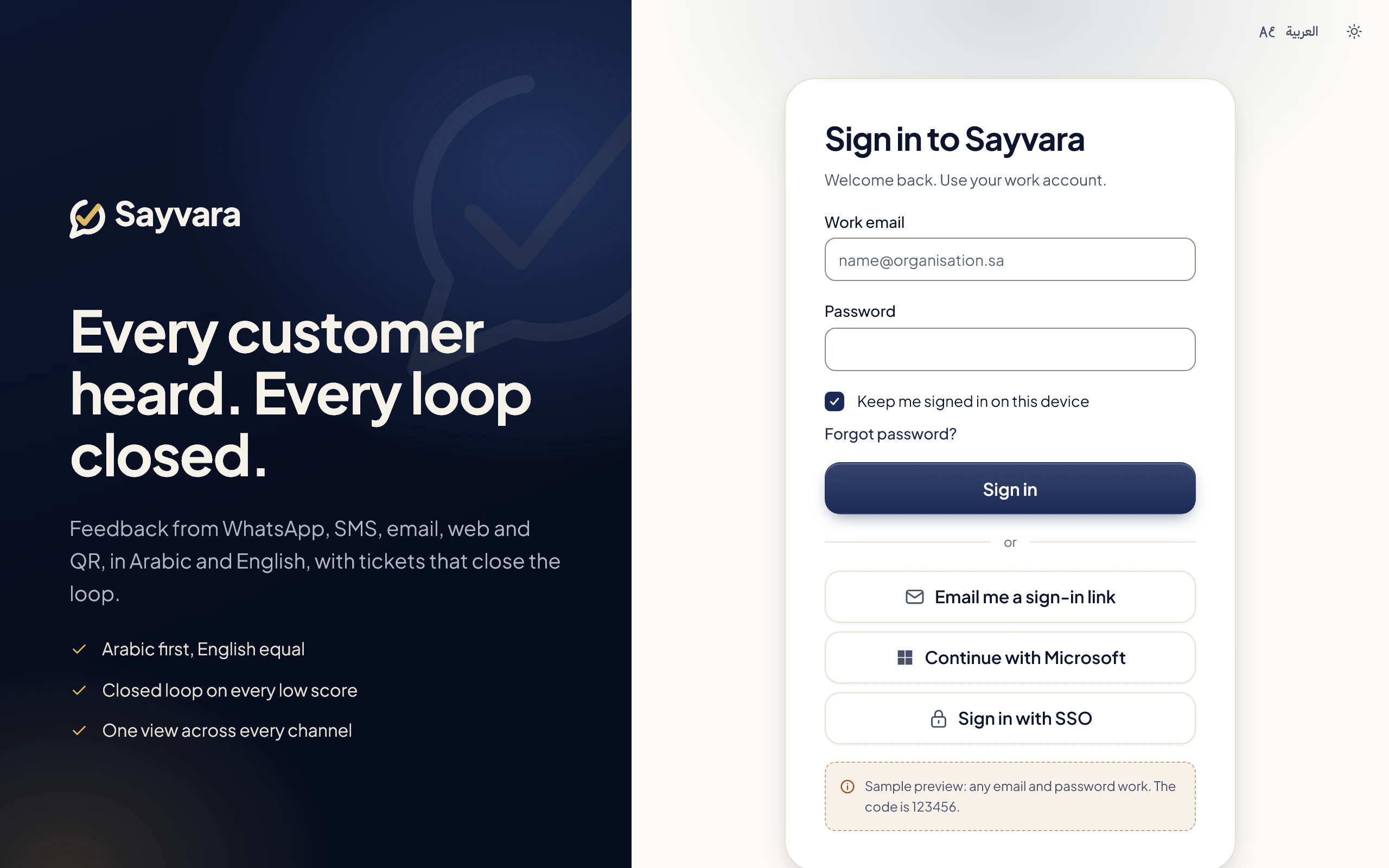
Sign in with your email and password
- Type your Work email.
- Type your Password.
- Leave Keep me signed in on this device ticked on your own device. Untick it on a shared computer.
- Select Sign in.
If your account uses two-step verification, the next screen asks for a code. See Two-step verification below.
Sign in with a link instead of a password
You can sign in without typing your password:
- Type your Work email.
- Select Email me a sign-in link.
- The page shows Check your inbox. Open the email from Sayvara and select the link.
The link works once and expires in 15 minutes. If it has expired, go back to the sign-in page and ask for a new one. To go back without waiting, select Use another method.
Two-step verification
When two-step verification is on for your account, Sayvara asks for a second proof after your password.
- Open your authenticator app on your phone.
- Type the 6-digit code into Verification code.
- Select Verify and continue.
If your phone app is not at hand, select Send the code on WhatsApp instead. The code arrives on WhatsApp at the number on your account.
Sign in with your company's single sign-on
If your organisation has set up single sign-on:
- On the sign-in page, select Sign in with SSO.
- Type your work email and select Continue.
- Sayvara sends you to your organisation's sign-in page. Sign in there and you come back to Sayvara.
If you see Your organisation has not set up single sign-on for this address, use your password or a sign-in link. Admins can read Single sign-on to set it up.
Messages you may see
| Message | What to do |
|---|---|
| That email and password do not match. | Check the address and password. Use Forgot password? if needed. |
| Confirm your email first: open the link we sent you. | Open the confirmation email from Sayvara first. |
| Too many attempts. Wait a minute and try again. | Wait one minute. Repeated failures are slowed down to protect your account. |
| That code did not work. Try again. | Type the newest code from your authenticator app. Codes change every few seconds. |
| This link is invalid, was already used or has expired. Ask for a new one. | Ask for a new sign-in link. |
Sign out
- Select your initials in the top corner of the screen.
- Select Sign out.
Related pages
Was this page helpful?
Thanks. Need more help? Email support@sayvara.com