Ticket rules
Open Sayvara tickets for more than low scores - on words and phrases like "refund" or "lawyer" in written answers.
Low scores always open a follow-up ticket. Ticket rules open one for other answers too: comments with words like "lawyer" or "refund". They catch unhappy customers who still gave a good score.
Only owners and admins can change ticket rules.
Open the page
- Go to Tickets.
- Select Ticket rules at the top of the page.
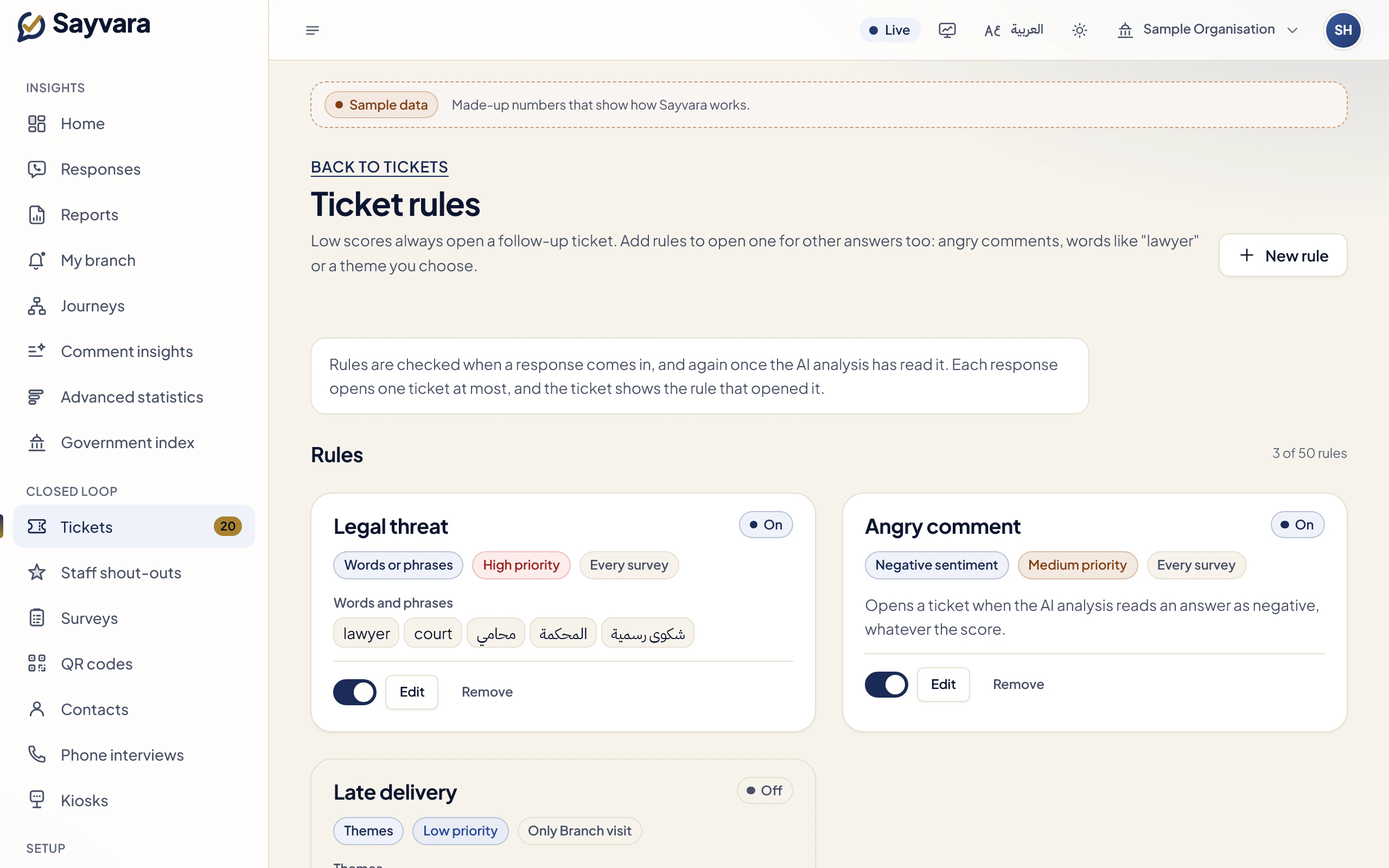
How rules work
Rules are checked when a response comes in. Each response opens one ticket at most, and the ticket shows the rule that opened it.
Create a rule
- Select New rule.
- Type a Rule name, for example "Legal threat". It is shown on every ticket the rule opens.
- Under Opens a ticket on, choose Words or phrases: a ticket opens when any written answer contains one of your words, in Arabic or English.
- Fill in the words:
- Type the words in Words and phrases, one per line or separated by commas.
- Under Survey, choose Every survey or one survey.
- Choose the Ticket priority: High, Medium or Low.
- Leave Rule is on ticked.
- Select Create rule.
The type of a rule cannot change afterwards. To change it, remove the rule and create a new one.
Writing good word lists
- Arabic letter forms and diacritics do not matter. For example, alef with or without hamza both match.
- Add
*for any ending.refund*matches refund, refunds and refunded. - Each word or phrase needs at least two letters.
Try a sentence
Before saving, test your rule. Type an answer a customer might write in Try a sentence. You see either This rule would open a ticket with the word it found, or No match: this rule would not open a ticket.
Manage rules
The list shows each rule with its words, its survey and priority, and On or Off.
- Edit changes a rule.
- Off pauses it.
- Remove deletes it. Tickets it already opened stay open.
An organisation can have up to 50 ticket rules. The page shows how many you use, for example "3 of 50 rules".
Related pages
Was this page helpful?
Thanks. Need more help? Email support@sayvara.com