Read the campaign report
Follow a phone campaign's reach, completion and refusal rates, its call results, how full each quota is, and each caller's work.
The campaign report shows how a phone campaign is going. Open it from the Phone interviews list with Report.
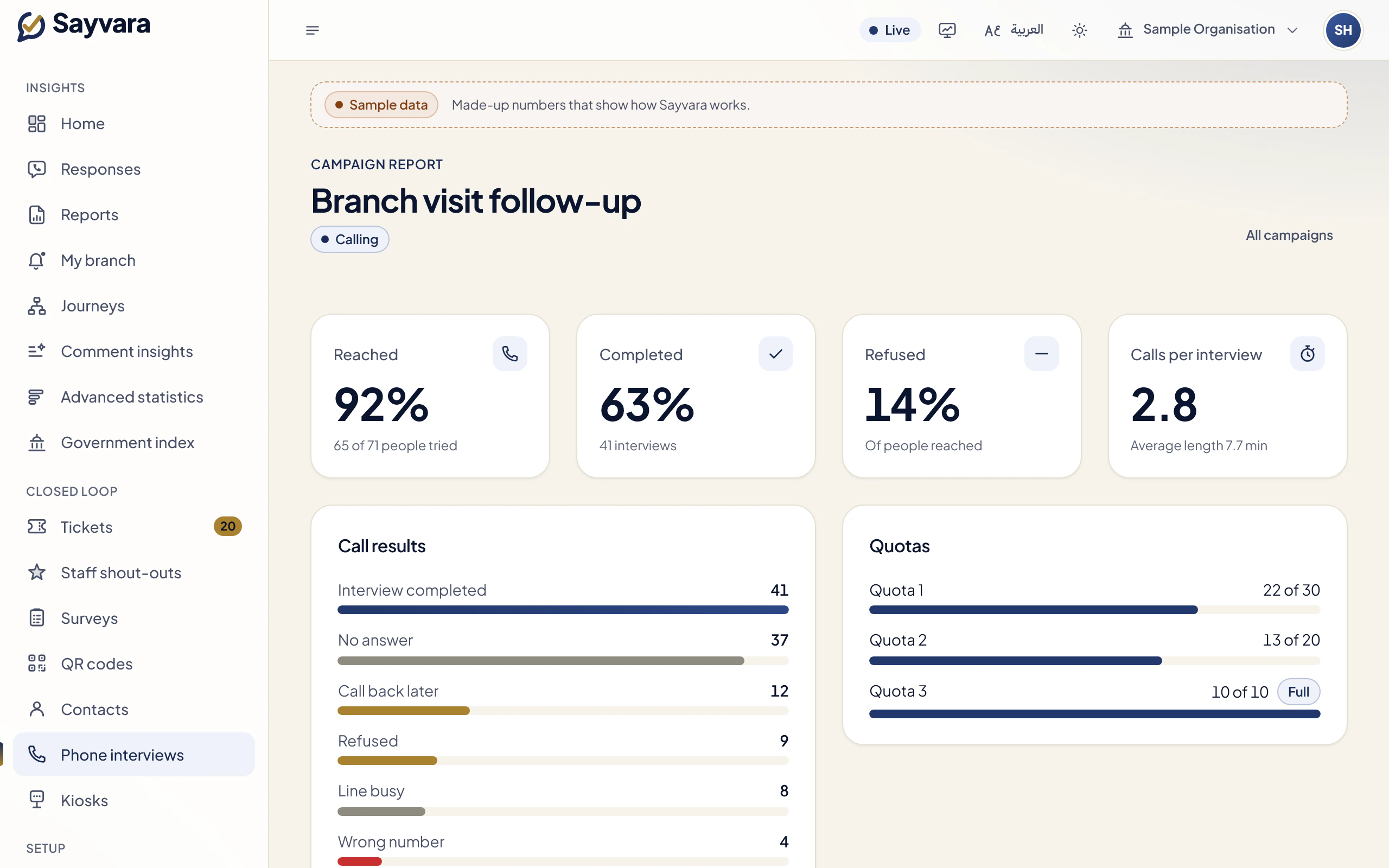
Key figures
| Figure | What it shows |
|---|---|
| Reached | The share of people tried who were reached, for example "180 of 400 people tried". |
| Completed | The share of people reached who completed the interview, with the number of interviews. |
| Refused | The share of people reached who refused. |
| Calls per interview | How many calls one completed interview takes on average, with the average call length. |
Call results
Call results shows how many calls ended with each result, such as Interview completed, No answer or Line busy. See Call results and callbacks for what each one means. Before the first call you see No calls.
Quotas
A quota is a target number of interviews for a group, for example 100 interviews in Riyadh. Quotas lists each quota as Quota 1, Quota 2 and so on, with the interviews achieved against the target, for example "64 of 100", and a bar. A quota that has reached its target shows Full, and callers no longer get people from that group.
If the campaign has no quotas, you see This campaign has no quotas.
Callers
The Callers table shows each caller's work:
| Column | What it shows |
|---|---|
| Caller | The caller. |
| Calls | How many calls they made. |
| Interviews | How many interviews they completed. |
| Interviews per talk hour | Completed interviews per hour on the phone. |
| Talk time | Their total time on calls. |
Select All campaigns to go back to the list.
Was this page helpful?
Thanks. Need more help? Email support@sayvara.com