Channels
The channels Sayvara uses to reach customers - WhatsApp, SMS, email, web links, QR codes, kiosks, your website and your app - and how each works.
Sayvara reaches every customer where they already are. Go to Channels in the side menu to see each channel, its state and, once messages flow, how many were Sent this month and the Response rate.
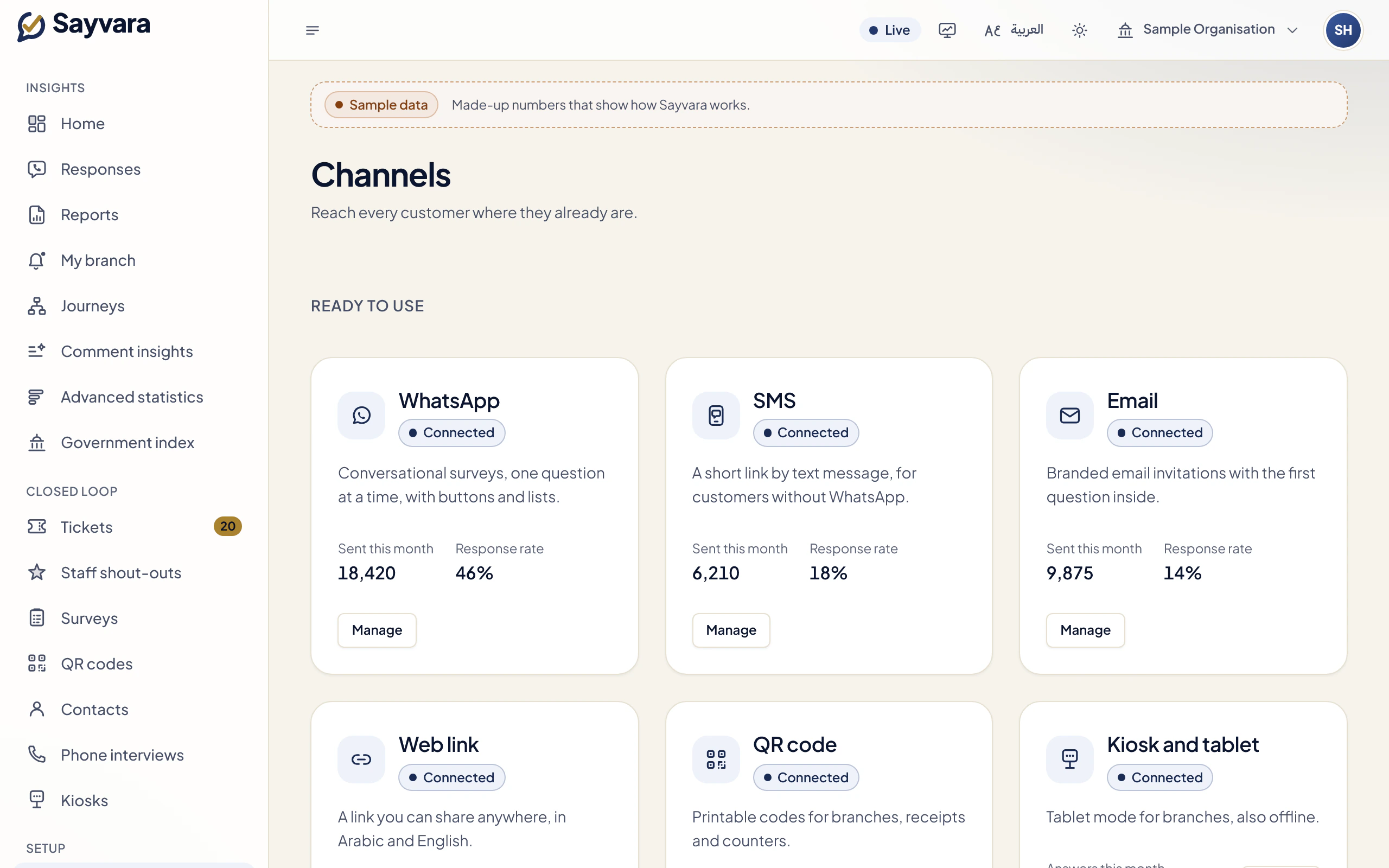
Channels you can use
| Channel | What it does | Page |
|---|---|---|
| Conversational surveys, one question at a time, with buttons and lists | ||
| SMS | A short link by text message, for customers without WhatsApp | SMS and email |
| Your own SMS gateway | Survey SMS through your own gateway or SMS provider account, with your sender name | Your own SMS gateway |
| Email invitations with the first question inside | SMS and email | |
| Web link | A link you can share anywhere, in Arabic and English | Send and share a survey |
| QR code | Printable codes for branches, counters and staff | QR codes |
| Kiosk and tablet | A tablet at a branch that runs one survey, also offline | Kiosks |
| Website widget | A small prompt on your own website, on the pages and for the visitors you choose | Website widget |
| In-app | A short survey inside your web or mobile app after an event, for the signed-in user | In-app surveys |
Set up kiosks on the Kiosks page, QR codes on the QR codes page, the website widget on the Website widget page and in-app surveys on the In-app SDK page.
How Sayvara picks a channel
You do not pick a channel per customer by hand. When one of your systems asks Sayvara to survey a customer, Sayvara uses WhatsApp where it can. If WhatsApp is not available, the survey can go by SMS or email instead. QR codes, kiosks, web links, the website widget and in-app surveys do not need a channel: the customer opens the survey page directly.
Every message respects:
- the customer's opt-out (see Consent and opt-out);
- your Contact frequency limits;
- quiet hours, so nobody is messaged at night;
- the message limits in your plan.
Where answers show
Answers from every channel land in the same place: Responses, Home and Reports. Each answer shows the channel it came from. See Dashboards and reports.
Public reviews
Customers also leave reviews on Google Business Profile, the App Store and Google Play. The Reviews page shows them in one list, next to your survey answers. See Reviews.
Which channel should I use?
| Situation | Good choice |
|---|---|
| After a visit, purchase or call, when you have the phone number | |
| Customers without WhatsApp | SMS or email |
| Walk-in customers at a counter, table or door | QR code |
| A waiting area or exit with staff nearby | Kiosk |
| Visitors of your website, on chosen pages or after a task | Website widget |
| Signed-in users of your app, right after an event in the app | In-app survey |
Related pages
Was this page helpful?
Thanks. Need more help? Email support@sayvara.com