Parts for other teams
Split a complaint into parts so other teams can do their share, while they see only their part and never the customer.
Some complaints need more than one team. A late delivery may need the warehouse; a billing mistake may need finance. With parts, you split the complaint so each team does its share. Each team sees only its own part, never the customer or the answer.
Your plan must include Ticket parts for other teams.
Split off a part
- Open the ticket.
- Under Parts for other teams, select Split off a part.
- In What the team should do, write a short title.
- In Details for the team, write what they need to know. They will not see the customer or the answer, so do not paste personal details.
- Choose the Team.
- Optionally choose a Person (optional) in that team and a Due date (optional).
- Select Add part.
You see Part added. The ticket shows how many parts are still open, or Every part is done. A complaint can have up to 20 parts.
Work the parts handed to your team
- Go to Tickets and select Parts for my teams.
- Use the tabs Open, Closed and All. Tick Only mine to see only parts assigned to you.
- The list shows the Part, the Work, the Team, the Person, the Status and the Due date.
- Select a part to open it.
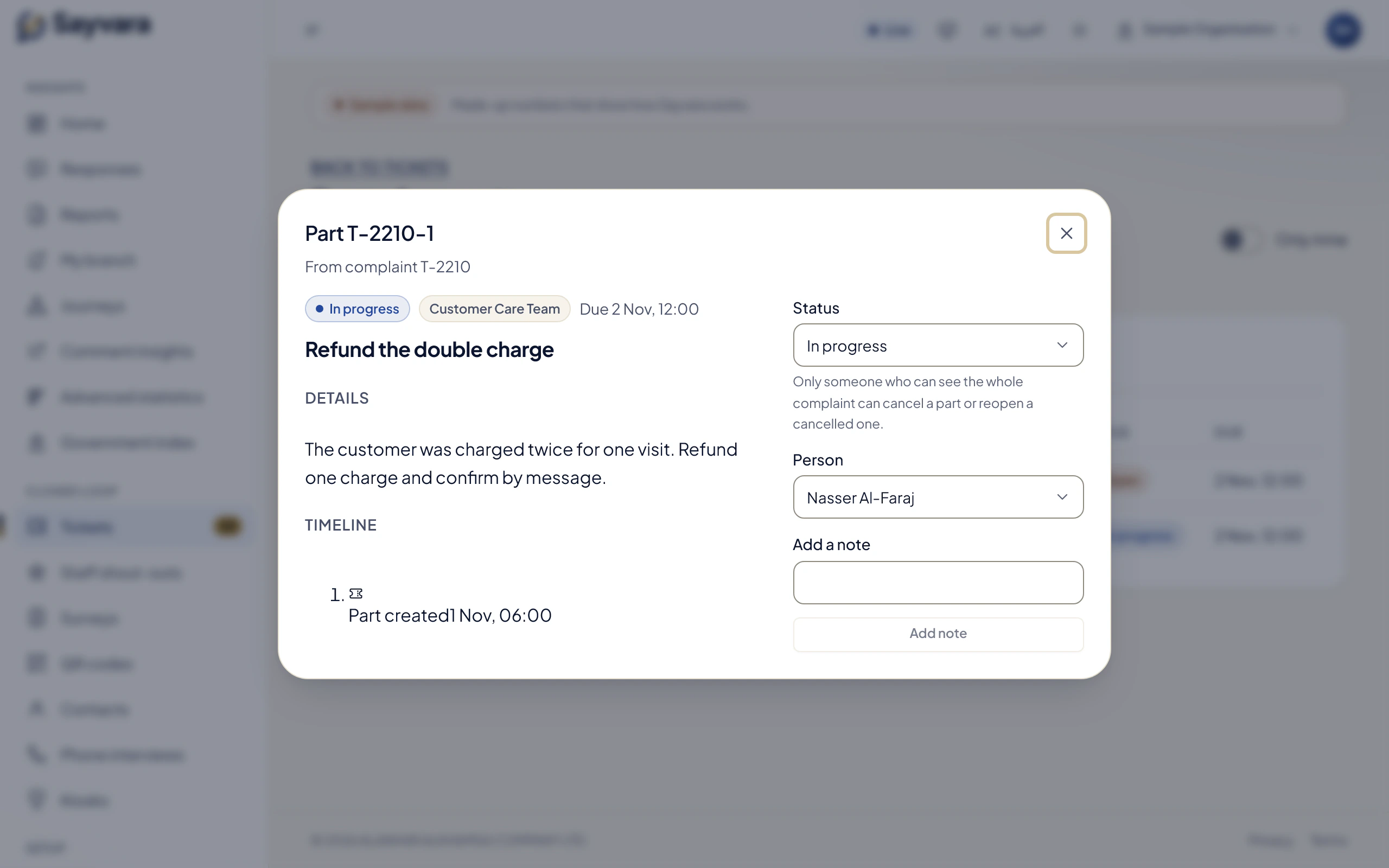
In the part you see From complaint with its reference, the Details, and a Timeline. You can:
- Change the Status: Open, In progress, Done or Cancelled.
- Change the Person.
- Add a note for the other teams.
You see Part updated after each change.
Cancel or reopen a part
Only someone who can see the whole complaint can cancel a part or reopen a cancelled one. The team doing the part can mark it done, but not cancel it.
Messages you may see
| Message | What it means |
|---|---|
| A complaint can have at most 20 parts. | Combine some parts. |
| That person cannot see this team. Pick someone from the team. | Choose a person in that team's scope. |
| The due date must be in the future. | Pick a future date. |
| Your plan does not include parts for other teams. | See Plan and limits. |
Tips
- Write the details so the other team can act without asking: what, where, by when.
- Close the main ticket only when every part is done.
Related pages
Was this page helpful?
Thanks. Need more help? Email support@sayvara.com