Stage drop alerts
Turn stage drop alerts on for a journey map and read the alerts panel, which lists the days a stage fell below its normal range.
A stage drop alert marks a day when a stage's score or volume fell below its normal range, so the drop can be handled quickly.
Turn alerts on or off
- Open the map from Journeys.
- In the Map details card, switch Stage drop alerts on.
- To turn them off again, switch it off. You see Drop alerts are off.
Turning alerts on or off does not touch unsaved stage edits.
Read the alerts panel
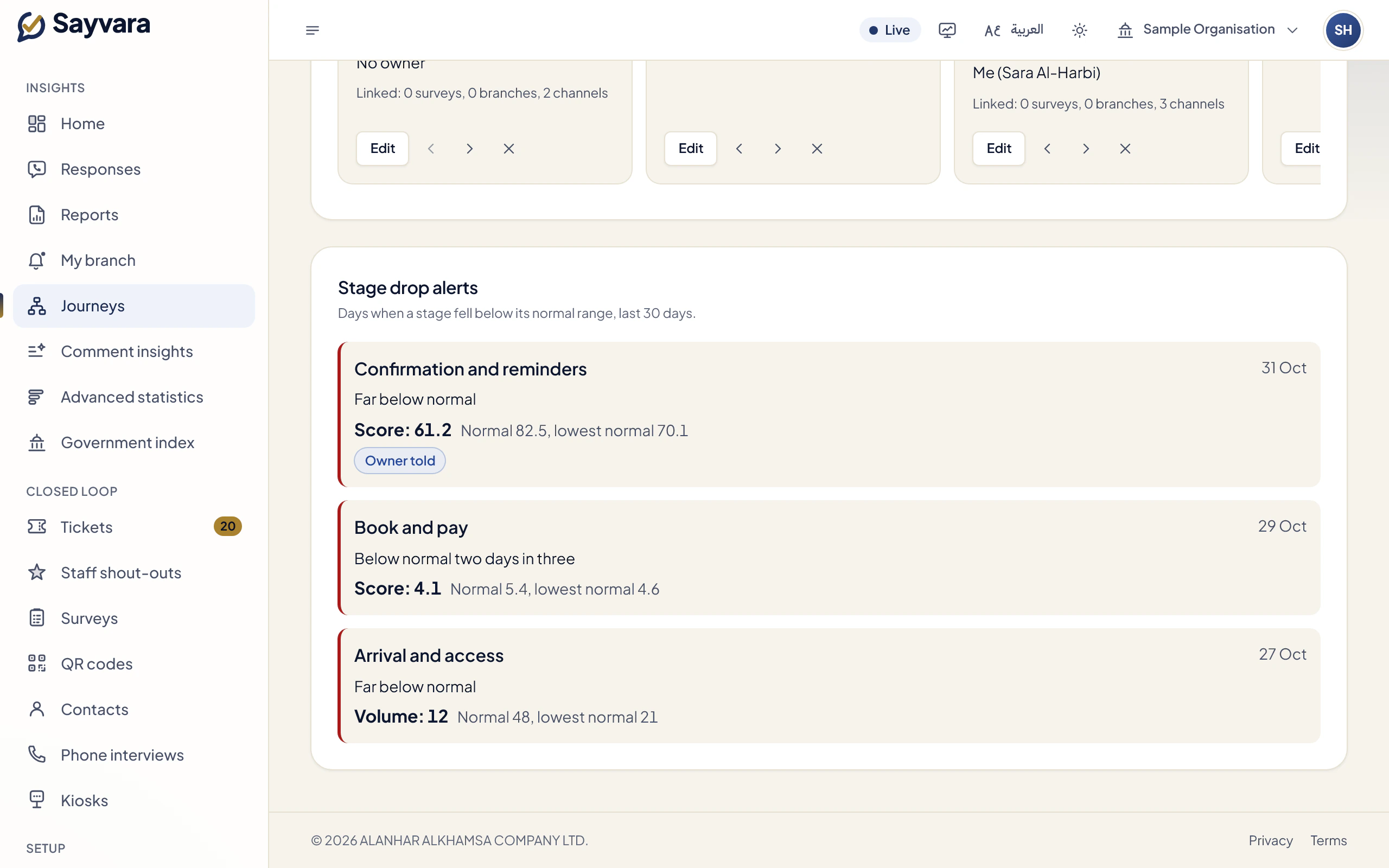
Lower on the canvas, the Stage drop alerts panel covers the last 30 days. Alerts appear here when a stage drops. If alerts are off for the map, a note at the top of the panel says so. When there is nothing to show, you see No drops recorded in the last 30 days.
Each alert shows:
- the stage, and the day;
- the rule that was broken: Far below normal, Below normal two days in three, Below normal eight days running or Falling six days running;
- the value (Score or Volume) against the normal level;
- Owner told, once the stage owner has been told.
Was this page helpful?
Thanks. Need more help? Email support@sayvara.com