Call results and callbacks
What each call result means on the caller desk, how to book a callback, and what happens to the person afterwards.
After every call, you record what happened under What happened? on the caller desk. The results are in three groups, the way callers think about them.
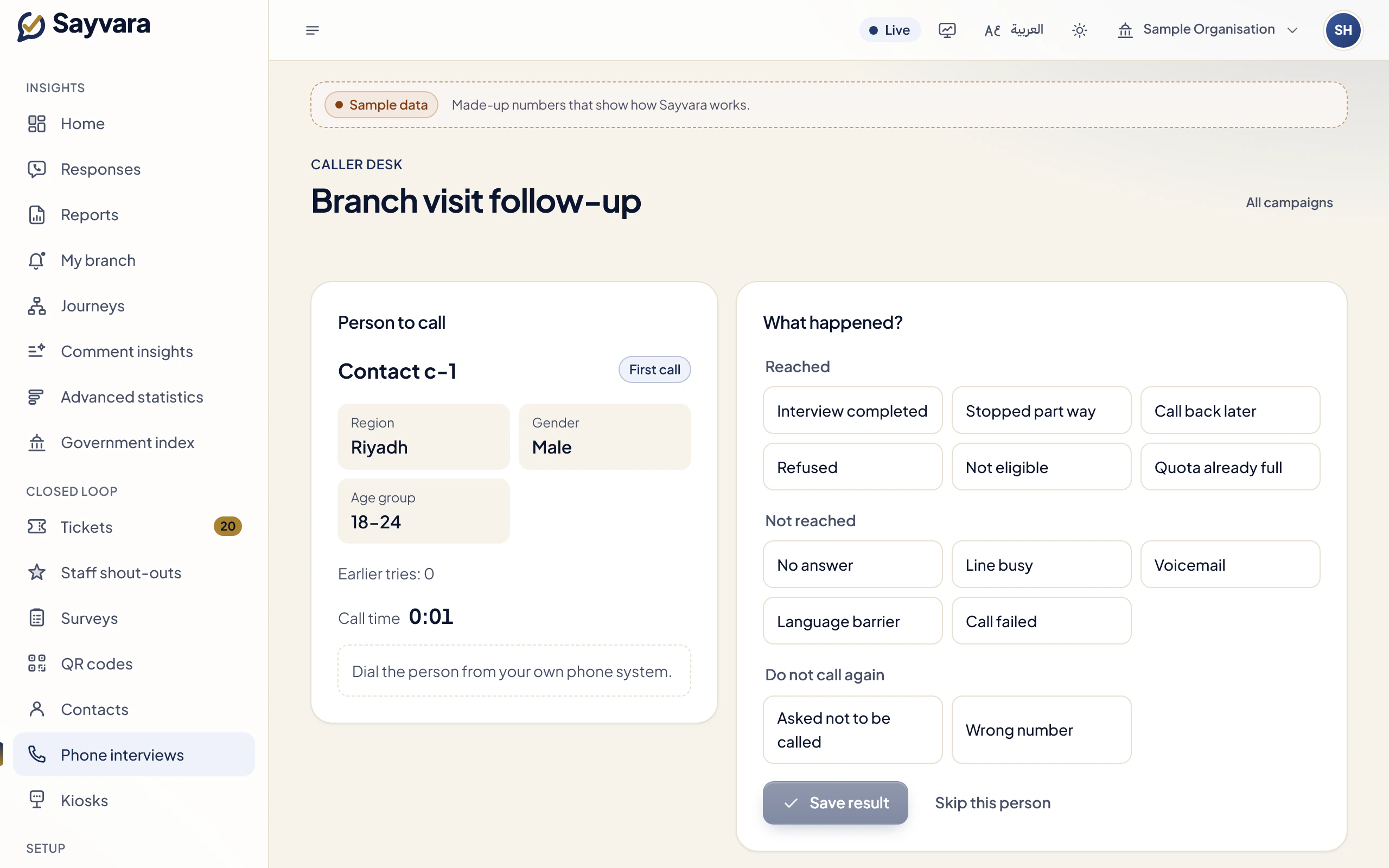
Reached
| Result | Use it when |
|---|---|
| Interview completed | The person answered the whole interview. |
| Stopped part way | The person started but stopped. They come back in the list to finish. |
| Call back at another time | The person asked you to call at another time. |
| Refused | The person did not want to take part. |
| Not eligible | The person is not someone this survey is for. |
| Quota already full | The person's group already has enough interviews. |
Not reached
| Result | Use it when |
|---|---|
| No answer | Nobody picked up. |
| Line busy | The line was engaged. |
| Voicemail | You reached a voicemail or answering machine. |
| Language barrier | You could not hold the interview in a shared language. |
| Call failed | The call did not connect for a technical reason. |
People who were not reached come back for Another try after a short wait.
Do not call again
| Result | Use it when |
|---|---|
| Asked not to be called | The person asked never to be called again. |
| Wrong number | The number does not belong to this person. |
These people leave the list for good.
Which results end the calls
A person leaves the list after Interview completed, Refused, Not eligible, Quota already full, Asked not to be called or Wrong number. After any other result they come back for another call, until the campaign's Tries per person is used up. Callbacks count as tries too, but a callback the person asked for is still made, even after the last try.
Book a callback
- Under What happened?, pick Call back at another time.
- In Call back at, pick the time the person asked for. It must be in the future; Sayvara suggests one hour from now.
- Tick They asked for me if the person wants you to call back yourself. The callback then comes back to you as Callback they asked for with you.
- Select Save result.
Callbacks come first in the list when they are due. See Use the caller desk.
Was this page helpful?
Thanks. Need more help? Email support@sayvara.com