Themes over time
Follow how often each theme comes up by day, week or month, and see which themes are new, rising, falling or gone.
The Trends tab of Comment insights shows how each theme's share of comments changes over time.
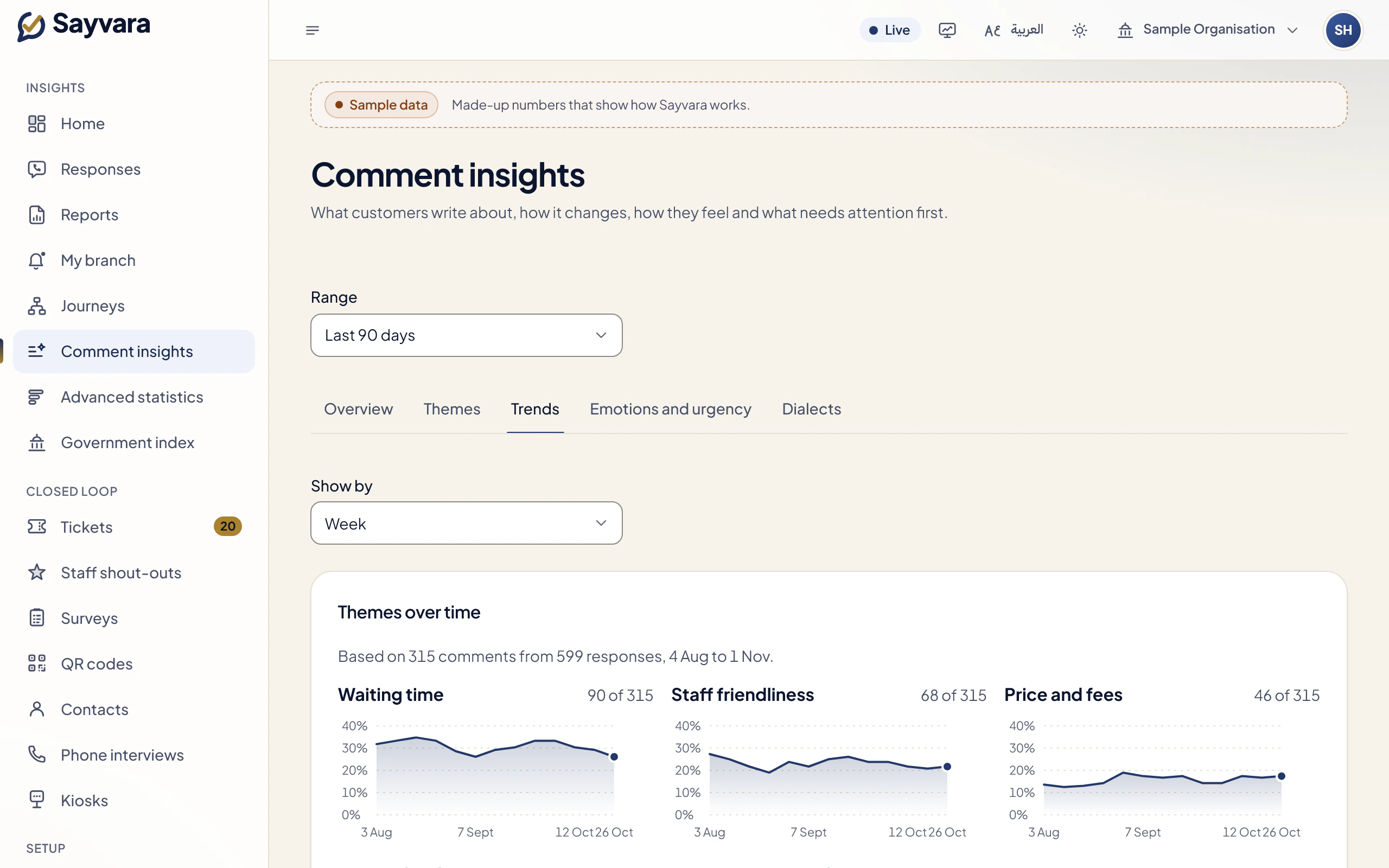
Follow your themes
- Open Comment insights and select the Trends tab.
- Pick a Range above the tabs. A longer range, such as Last 90 days, shows more of the trend.
- In Show by, pick Day, Week or Month.
Each top theme gets its own small chart. All charts use the same scale, so you can compare them at a glance.
Changes against the period before
The Changes against the period before table compares the chosen range with the same length of time just before it. A line above the table tells you which dates it compares with and how many responses they had.
| Column | What it shows |
|---|---|
| Theme | The topic. |
| Now | Its share of comments in the chosen range. |
| Before | Its share in the period before. |
| Change | New, Rising, Falling, Gone or No real change. |
Was this page helpful?
Thanks. Need more help? Email support@sayvara.com