Actions and the quarterly report
Record the actions your teams took for beneficiaries, then open the short bilingual quarterly report and save it as PDF.
Record the actions you took
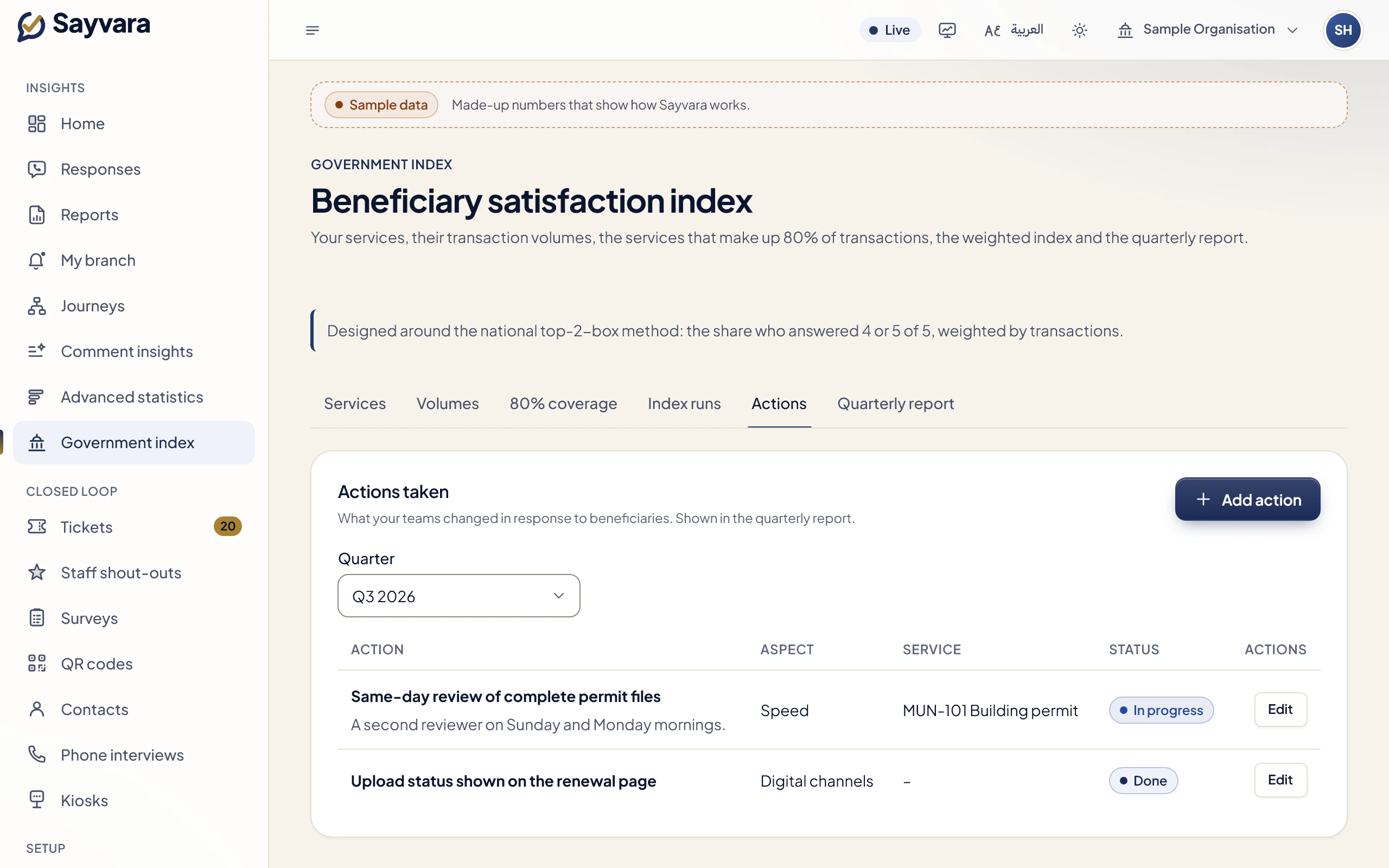
Beneficiaries want to know that their feedback changed something. The Actions tab records what your teams changed, and the quarterly report shows it.
- Open Government index and select the Actions tab.
- In Quarter, pick the quarter. The list opens on the newest finished quarter, and you can pick this quarter or one of the seven before it.
- Select Add action. The New action window opens.
- Fill in:
- Action in English and Action in Arabic: at least one of them, for example "Shorter queue at the main branch".
- Details in English and Details in Arabic (optional).
- Aspect: which aspect it improves, for example Speed or Staff.
- Service: the service it belongs to, or Not linked.
- Status: Planned, In progress, Done or Dropped.
- Select Save. You see Action saved.
To change an action, select Edit on its row.
Open the quarterly report
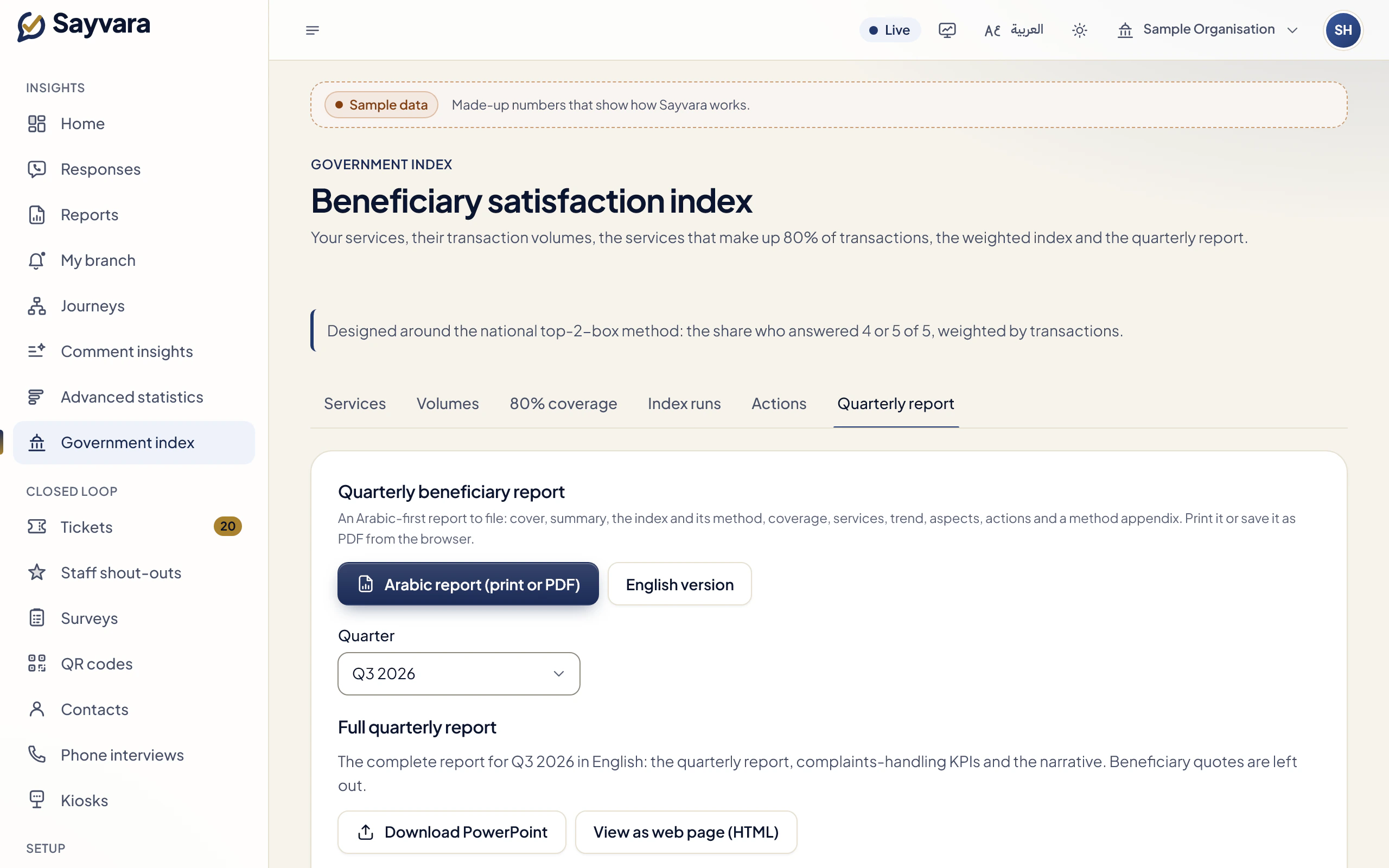
The quarterly report is a short bilingual report with the index, its trend, the aspects, the top themes from comments, and the actions taken.
- First compute an index run for exactly the three months of the quarter on the Index runs tab. See Coverage and index runs.
- Select the Quarterly report tab and pick the Quarter.
- Check the preview:
- Index, and its change in points against the previous quarter;
- Recent quarters: up to four, starting at the first quarter with an index run;
- Aspects and Services;
- Top reasons for low ratings and Comment themes;
- Actions taken.
- Select Open print view. The report opens in a new browser tab.
- Use your browser's print command and pick "Save as PDF" to keep or send the report.
If there is no run for the quarter, you see No index run for this quarter.
Was this page helpful?
Thanks. Need more help? Email support@sayvara.com