Use the caller desk
Take the next person who is due, see why they are on your list, call them, and record the result before moving on.
The caller desk gives you one person at a time, in the right order: callbacks first, then people who started an interview, then retries, then first calls.
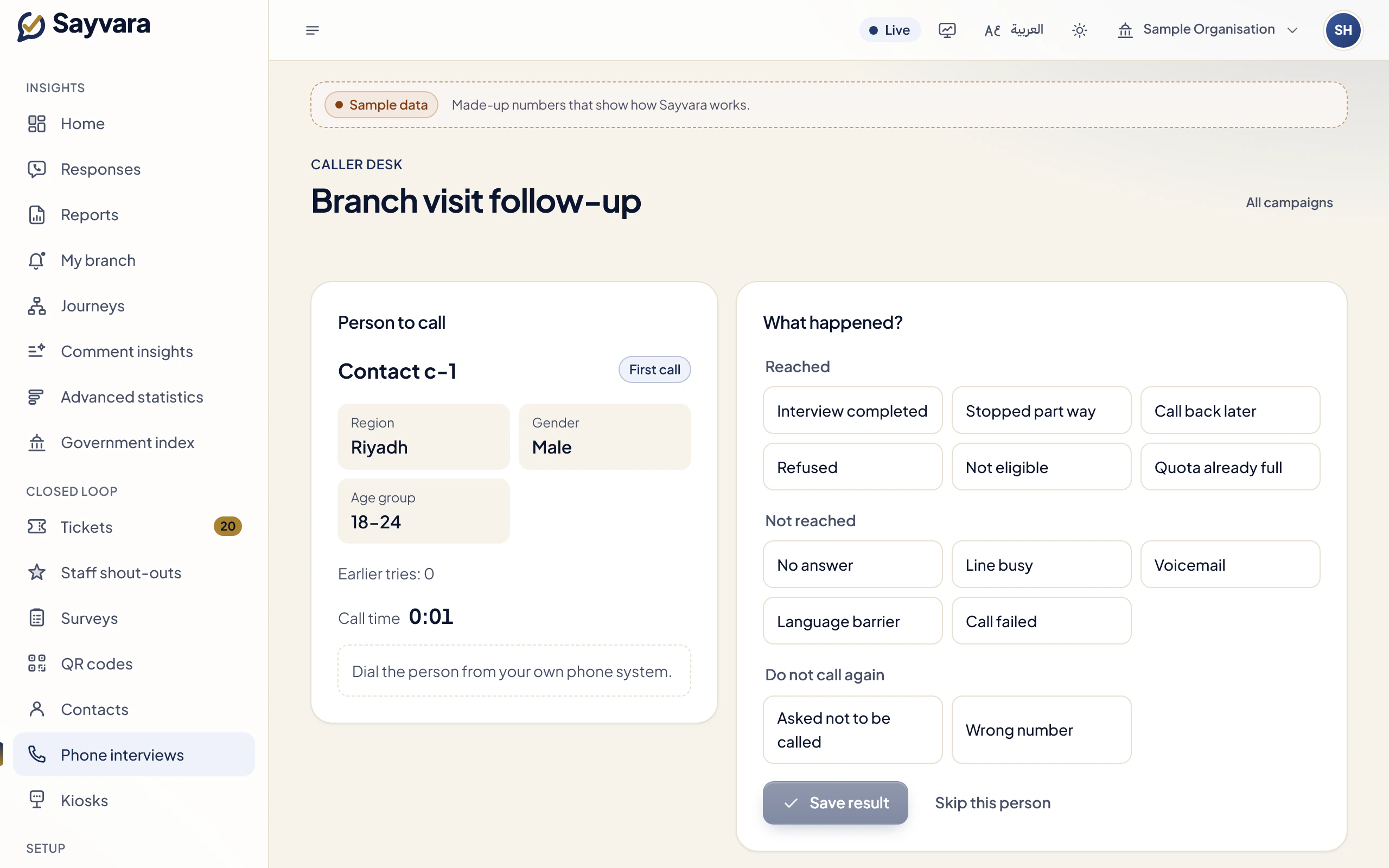
Make your calls
- In the side menu, select Phone interviews.
- On a campaign that is calling, select Start calling.
- Select Next person. Sayvara takes the next person who is due and keeps them for you.
- Read the Person to call card:
- why they are on your list: Callback they asked for with you, Callback they asked for, Finish an interview they started, Another try or First call;
- details such as Region, Gender and Age group, when the campaign has them;
- Earlier tries and the Last result.
- Dial the person from your own phone system. The Call time counter runs from the moment you took the person.
- Under What happened?, pick the result of the call. See Call results and callbacks.
- Select Save result. You see Saved. with the result, and the desk is ready for the next person.
If you cannot call this person now, select Skip this person. They go back in the list (Put back in the list.).
When there is nobody to call
| Message | What it means |
|---|---|
| Nobody is due right now | Everyone is called, waiting for a retry, or in a quota that is already full. Try again in a few minutes. |
| This campaign is not calling | A supervisor starts it from the campaign list. |
| Your calling is paused | A supervisor paused you on this campaign. Ask them to resume you. |
Other messages
| Message | What to do |
|---|---|
| This person is no longer yours. Take the next person. | Select Next person. |
| This person cannot be called any more. | Select Next person. |
Select All campaigns to go back to the list.
Was this page helpful?
Thanks. Need more help? Email support@sayvara.com