My branch on your phone
The My branch page gives frontline managers today's score, their tickets and quick actions on the phone.
My branch is made for managers on the shop floor. It fits a phone screen and shows what matters today: the score, the tickets assigned to you and the latest unhappy answers.
Go to My branch in the side menu.
What you see
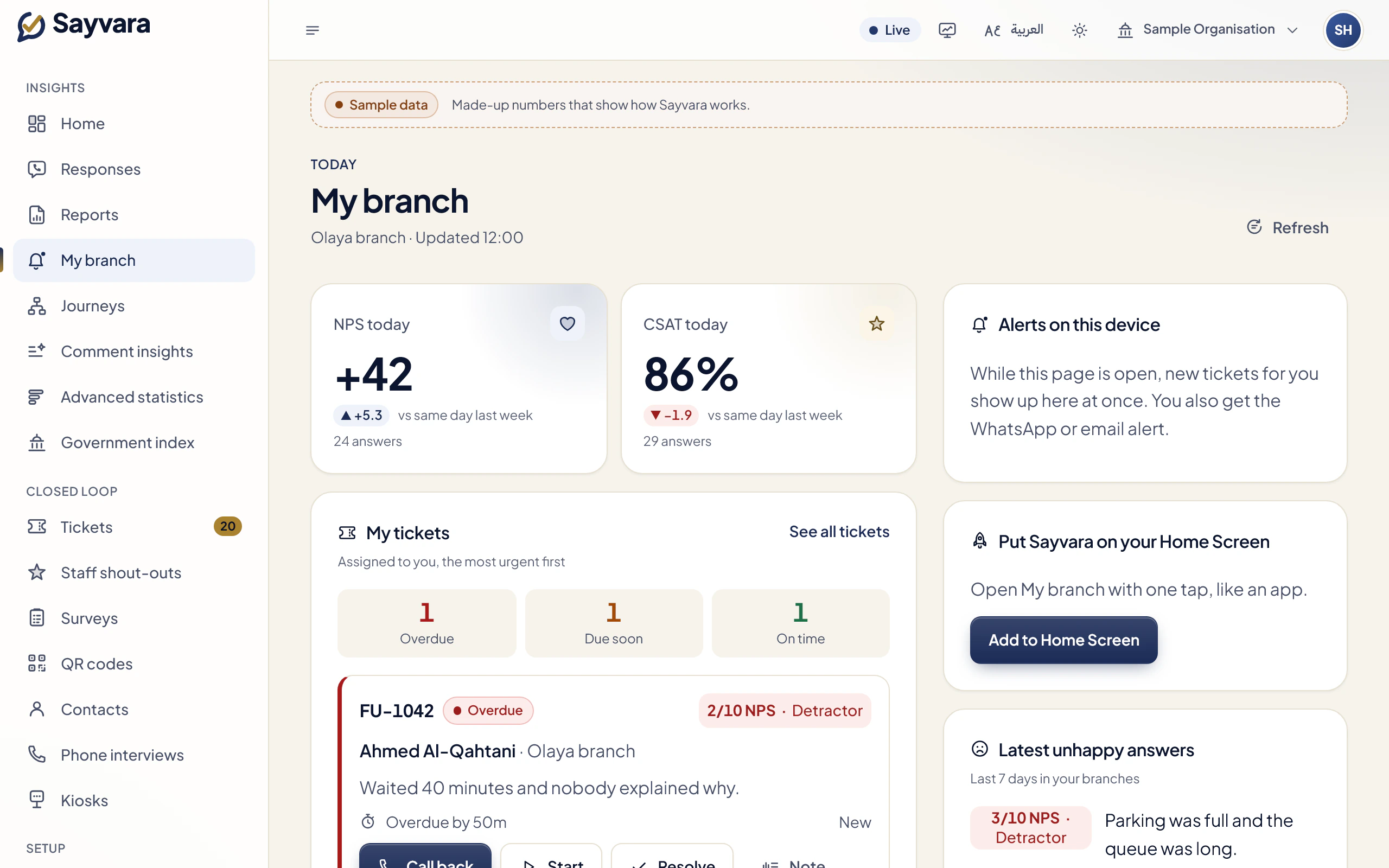
| Card | What it shows |
|---|---|
| Today | NPS today or CSAT today, the number of answers, and a comparison with the same day last week |
| My tickets | Tickets assigned to you, the most urgent first, with On time, Nearly due or Overdue |
| Latest unhappy answers | Low scores from the last 7 days in your branches |
Select Refresh to update. The page shows Updated with the time.
Act on a ticket in one tap
Each ticket in My tickets has quick actions:
- Call back: calls the customer from your phone. If there is no number, you see No phone number.
- Start: moves the ticket to In progress.
- Note: write what you did or agreed, then Save note.
- Resolve: marks the ticket resolved.
- Open: opens the full ticket.
Select See all tickets to open the full Tickets page.
Put Sayvara on your Home Screen
You can open My branch with one tap, like an app:
- Open My branch in your phone's browser.
- Select Add to Home Screen when the page offers it, or use your browser's menu.
Related pages
Was this page helpful?
Thanks. Need more help? Email support@sayvara.com