Phone interviews
Run surveys by phone with a caller desk that picks who to call next, records each call result and callback, and reports on every campaign.
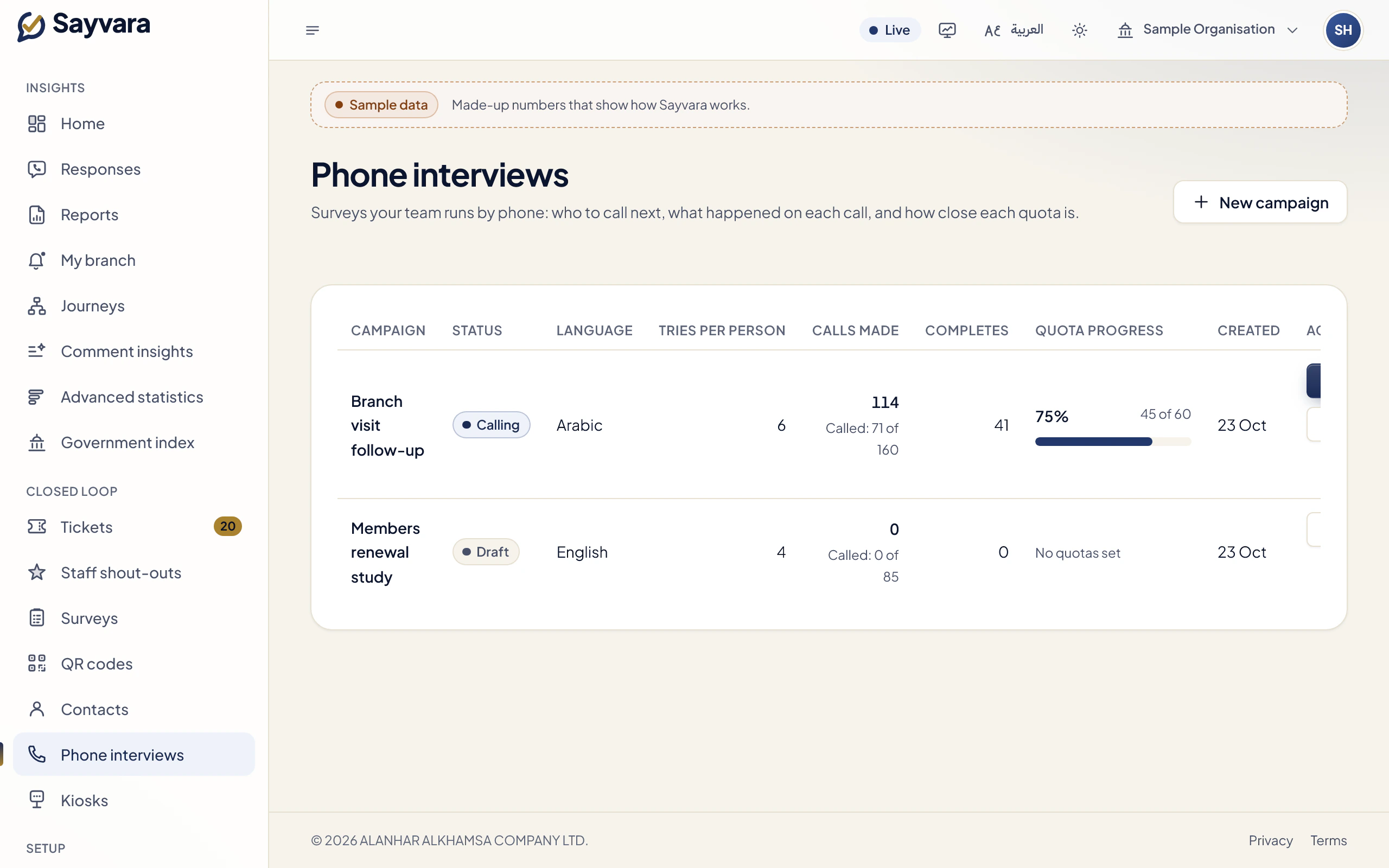
Some customers are best reached by phone. Phone interviews lets your team run a survey by phone as a campaign: callers take the next person who is due, record what happened on the call, and supervisors follow progress in a report.
Open it from the side menu: Phone interviews.
In this section
- Manage phone campaigns: the campaign list, new campaigns, start and pause (supervisors).
- Build the call list: add people from a CSV file, a pasted list or your contacts (owners, admins, managers and supervisors).
- Add people from other screens: put people on a campaign from Contacts, Responses or Tickets (owners, admins and managers).
- Use the caller desk: take the next person and work through your list (callers).
- Call results and callbacks: what each result means and how callbacks come back.
- Read the campaign report: reach, completion, quotas and callers.
- Supervisor console: watch a campaign live, assign callers and score interviews (for people who manage phone campaigns).
Who can use it
Phone interviews are for callers and supervisors. If you see Phone interviews are for callers and supervisors, ask an owner or admin to give you the caller or supervisor role.
How calling works
Callers dial the person from their own phone system. The caller desk records the call result and the call time.
Was this page helpful?
Thanks. Need more help? Email support@sayvara.com