Government index
Measure beneficiary satisfaction with a transaction-weighted index, designed around the national top-2-box method, and print a short quarterly report.
The Government index screen helps a government body measure how satisfied its beneficiaries are, service by service. Open it from the side menu: Government index, in the insights group.
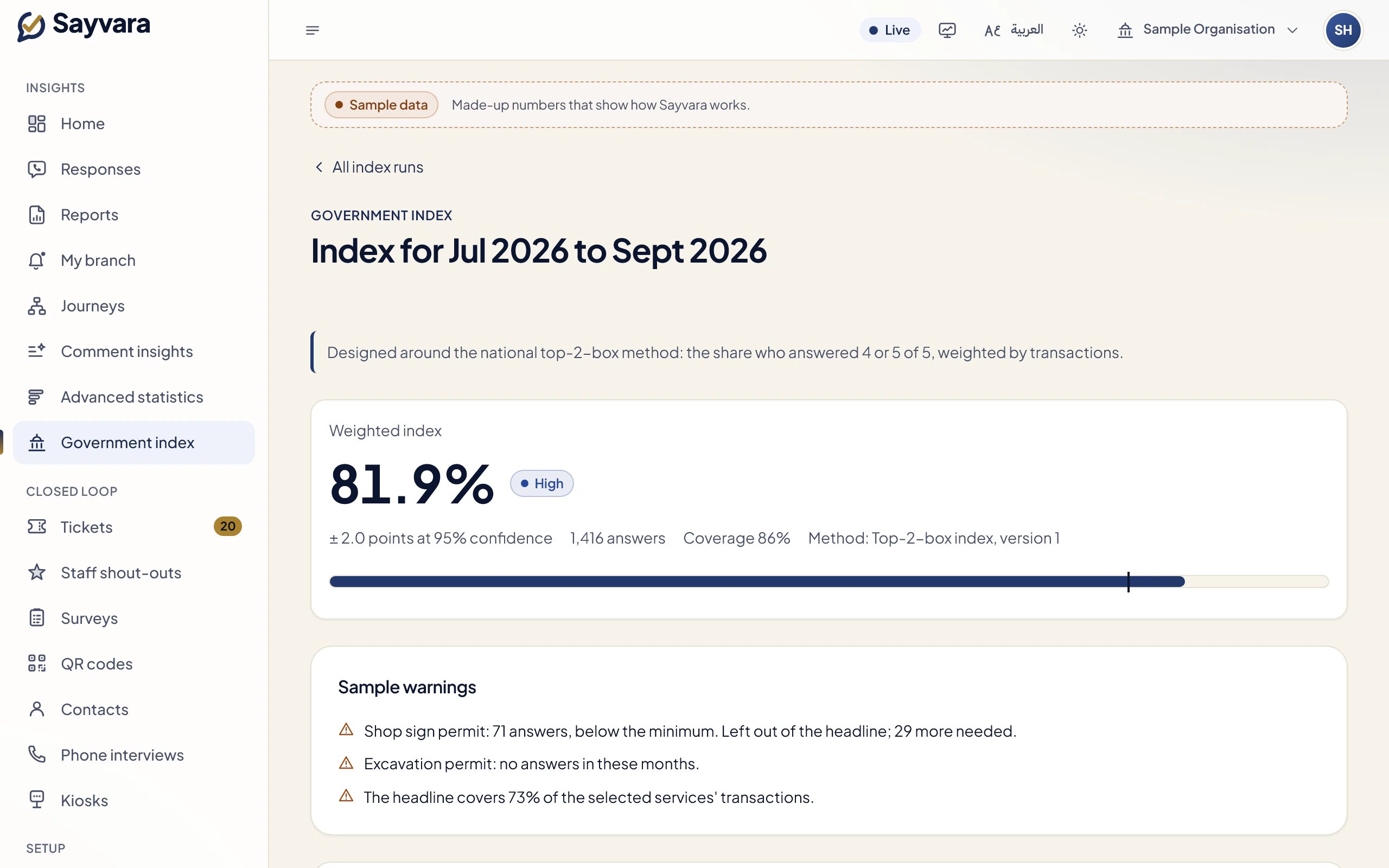
The index is designed around the national top-2-box method: the share of top-2-box answers (4 or 5 out of 5), weighted by each service's number of transactions. The result is your organisation's own measurement, not an official published result.
The steps
The screen has one tab for each step. Work through them in order the first time:
| Tab | What you do |
|---|---|
| Services | Link each service to the survey its beneficiaries answer. |
| Volumes | Import a CSV file with the number of transactions per service and month. |
| 80 % coverage | See which services make up most of your transactions. The index uses these. |
| Index runs | Compute the index for the months you choose, and keep its inputs. |
| Actions | Record what your teams changed in response to beneficiaries. |
| Quarterly report | Open a short bilingual report and save it as PDF. |
| Star ratings | See 1 to 5 stars for each service centre from surveys and mystery-shopper visits. |
| Sector presets | Preview ready rules for telecom complaints, patient experience and delivery check-ins, check one example case, and apply them. |
| Platform imports | Import the cases you export from the government complaints and service-rating platforms, and read them in one place. |
In this section
- Services and transaction volumes
- Coverage and index runs
- Read an index run
- Star ratings by service centre
- Sector presets
- Platform imports
- Actions and the quarterly report
Who can do what
| You want to | You need |
|---|---|
| See the government index | Access to dashboards |
| Change services, import volumes, change sample settings, record actions | Permission to edit surveys |
| Compute index runs and open the quarterly report | The feedback export permission, and access to the whole organisation (not only some branches) |
If you can only view, you see You can view this. Changes need permission to edit surveys.
Was this page helpful?
Thanks. Need more help? Email support@sayvara.com