Shared dashboard links
Make a view-only link to your Sayvara dashboard numbers for a board meeting, auditor or partner, with expiry and passcode.
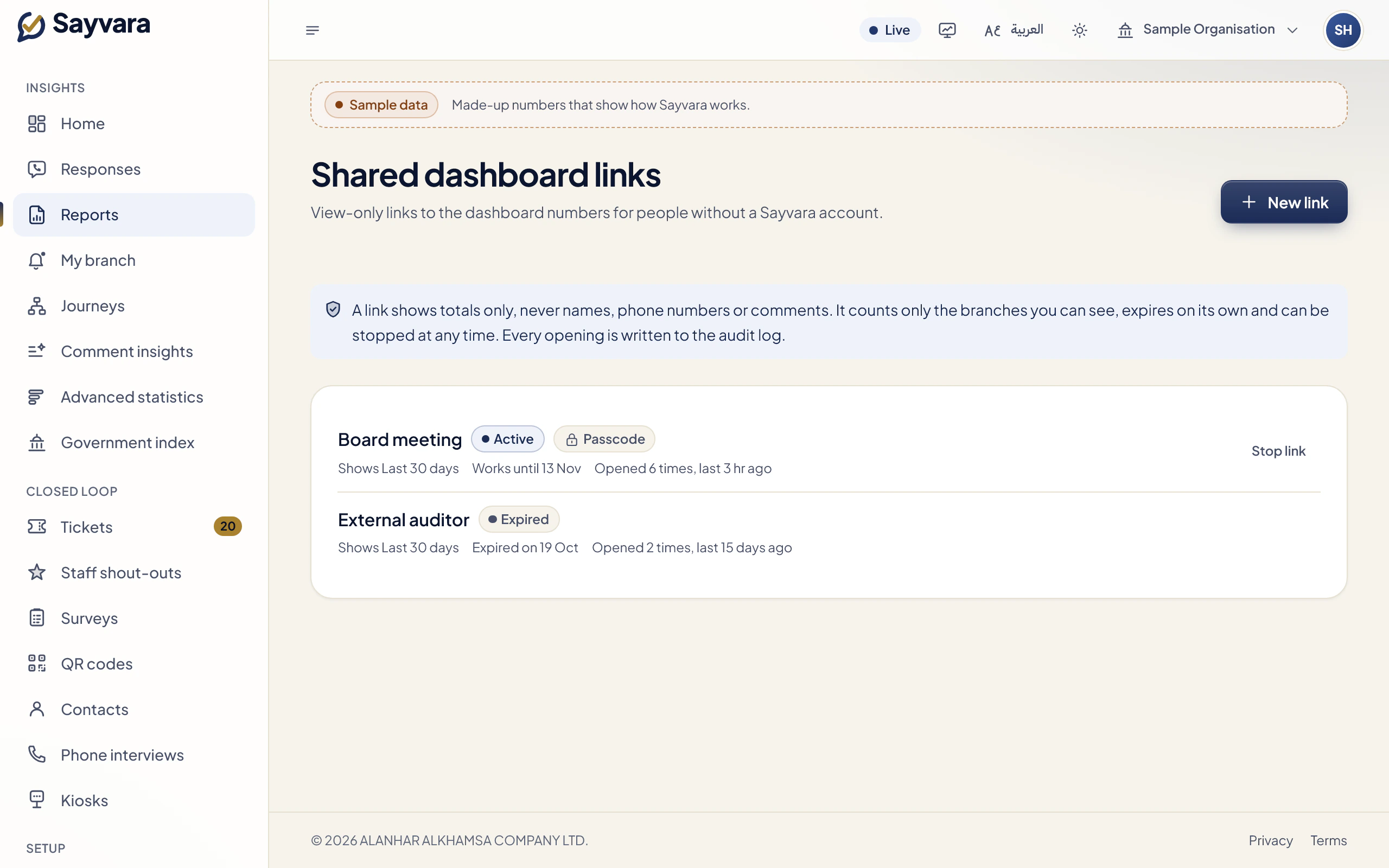
A shared link lets someone without a Sayvara account see your dashboard numbers. It is view-only and safe to share:
- It shows totals only, never names, phone numbers or comments.
- It counts only the branches you can see.
- It expires on its own and can be stopped at any time.
- Every opening is written to the audit log.
Owners, admins, managers and analysts can make links. Your plan must include Shareable dashboard links.
Open the page
Go to Home and select Share. The page Shared dashboard links opens.
Make a link
- Select New link.
- In Who is it for?, type a short name, for example "Board meeting" or "External auditor". It is shown on the shared page as a watermark.
- Choose the Period the numbers cover.
- In Works for, choose 1 day, 7 days, 30 days or 90 days.
- Optionally tick Ask for a passcode and type a Passcode of at least 6 characters.
- Select Make link.
- The window Your link is ready opens. Select Copy link.
Copy it now. For safety Sayvara keeps only a fingerprint of the link, so it cannot be shown again.
What the other person sees
They open the link and, if needed, enter the passcode. The page shows:
- View only and Shared by your organisation.
- The scores and trend for the period you chose.
- A watermark with the name you typed and a view code, so a screenshot shows where it came from.
If the link expired or was stopped, they see This link is not valid any more.
Follow and stop your links
The list shows each link with its state (Active, Expired or Stopped), the period it shows, until when it works, how often it was opened, and who made it.
To stop a link early:
- Select Stop link.
- Confirm. This cannot be undone.
Limits
- Up to 100 live links at a time. Stop one before making another.
- A limit per hour on new links.
Related pages
Was this page helpful?
Thanks. Need more help? Email support@sayvara.com