Coverage and index runs
See which services make up most of your transactions, set the sample rules, and compute the weighted index for a quarter.
See which services make up most transactions
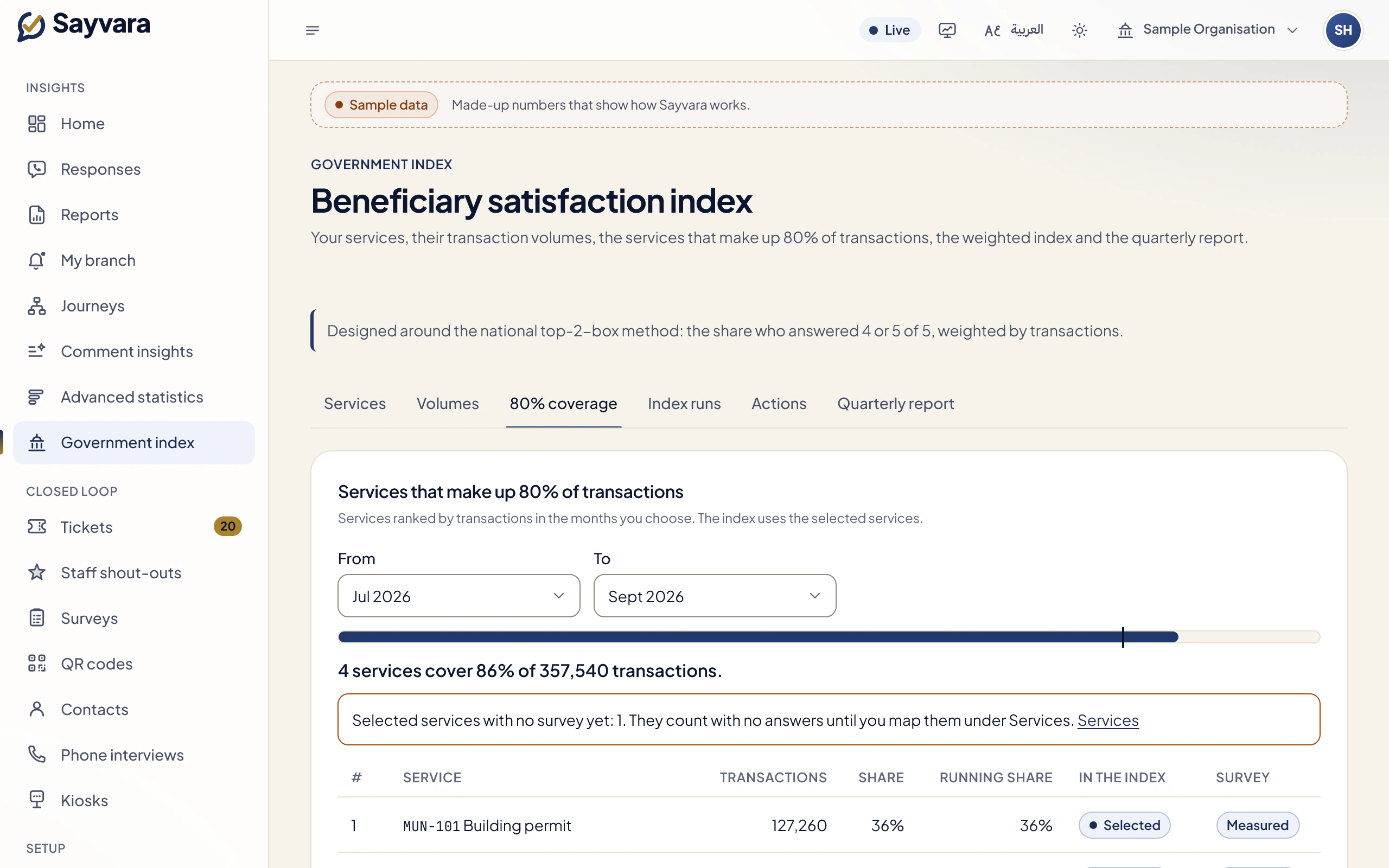
The index does not need every service. It uses the services that together make up most of your transactions, 80 % by default.
- Open Government index and select the 80 % coverage tab.
- Pick the months in From and To, for example the three months of a quarter.
- Read the summary, for example "12 services cover 81 % of 2,400,000 transactions."
- The table ranks services by transactions, with each one's Share and Running share. In the index says Selected or Not selected, and Survey says Measured or No survey.
Set the sample rules
On the Index runs tab, the Sample settings card holds three rules:
| Setting | What it does |
|---|---|
| Minimum answers per service | Services with fewer answers are shown with a warning. The lowest you can set is 30. |
| Count services below the minimum in the headline | Off by default: low-sample services are left out of the headline figure. Switch it on to count them anyway. |
| Coverage target (%) | The share of transactions the selected services must cover, from 50 to 100. |
Select Save settings after a change.
Compute the index
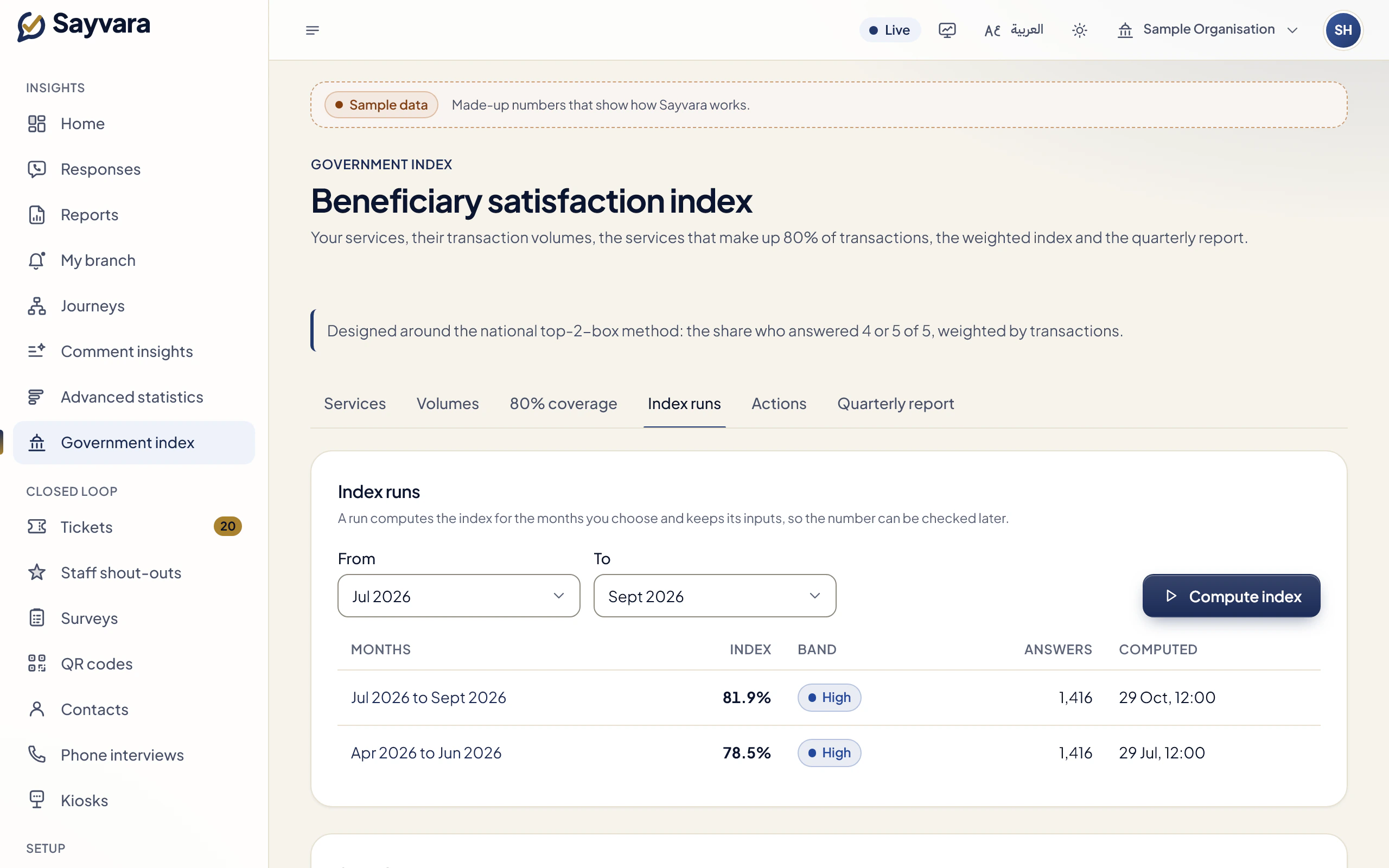
- On the Index runs tab, pick the months in From and To.
- Select Compute index. You see Index computed.
- The new run appears at the top of the list with its Months, Index, Band, Answers and the date it was Computed.
- Select Open to read the run. See Read an index run.
Computing a run needs the feedback export permission and access to the whole organisation.
A run keeps its inputs, so the number can be checked again even after new answers come in.
Common messages
| Message | What to do |
|---|---|
| This needs access to the whole organisation. | Ask an owner or admin for organisation-wide access. |
| Too many answers in these months. Choose fewer months. | Compute a shorter period, for example one quarter. |
Was this page helpful?
Thanks. Need more help? Email support@sayvara.com