Read an index run
Understand the weighted index headline, its band and margin, the services behind it, the six aspects and the sample warnings.
Open a run from the Index runs tab with Open. The page title shows its months, for example "Index for July 2026 to September 2026".
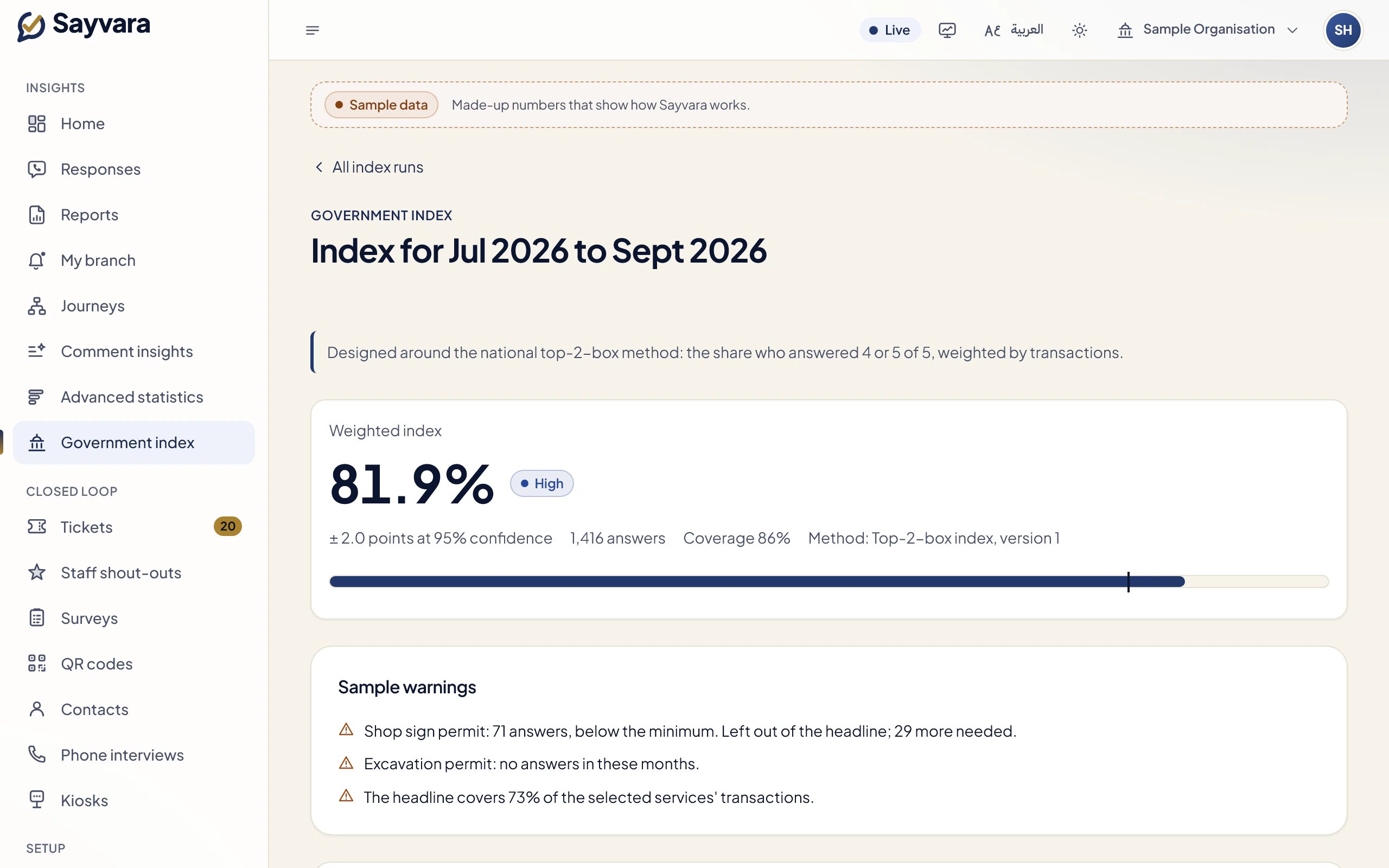
The headline
At the top you see the Weighted index as a percentage, with its band: Distinguished, High, Mid or Low. Next to it:
- the margin, for example "± 2.1 points at 95 % confidence";
- how many answers the index is based on;
- the coverage: the share of transactions the services in the index make up, with a bar against your target;
- the method version, so you know which rules computed it.
If no selected service has enough answers, you see No headline.
Sample warnings
The Sample warnings card lists every service that needs attention, for example:
- a service with no answers in these months;
- a service with too few answers to show, and how many more are needed;
- a service below the minimum that was left out of the headline, or counted because you chose to.
If all is well, you see Every selected service has enough answers.
Services in the index
| Column | What it shows |
|---|---|
| Service | The service code. |
| Transactions | Its volume in these months. |
| Answers | How many answers count for it. |
| Score | Its top-2-box share. |
| Margin | How far the true score could be from this one. |
| Sample | Enough answers, Below minimum, Too few answers or No answers. |
| Weight | Its weight in the headline, or Left out. |
Aspects
The Aspects card shows the score for six aspects of the service: Procedures, Service environment, Speed, Staff, Digital channels and Outcome. An aspect with too few answers shows Too few answers.
Select All index runs to go back.
Next
Was this page helpful?
Thanks. Need more help? Email support@sayvara.com