Deadlines and performance
Understand ticket deadlines (SLA) in Sayvara and read the agent and team performance report.
Every ticket has a deadline, called the SLA (service level). Closing tickets on time shows customers you listen.
Deadline states
The SLA column in Tickets shows:
| It shows | Meaning |
|---|---|
| A time left | The time left before the deadline |
| Overdue and a time | The deadline passed this long ago |
| Met | The ticket was resolved in time |
On Home, the card Detractors waiting for you groups open tickets into Overdue, Due within 2 hours and On time, with the most overdue first. My branch uses On time, Nearly due and Overdue.
The agent and team performance report
This report shows how quickly each person and team acts on and closes tickets, and what customers said afterwards. Owners, admins and managers can open it, and your plan must include it.
- Go to Tickets.
- Select Performance at the top of the page.
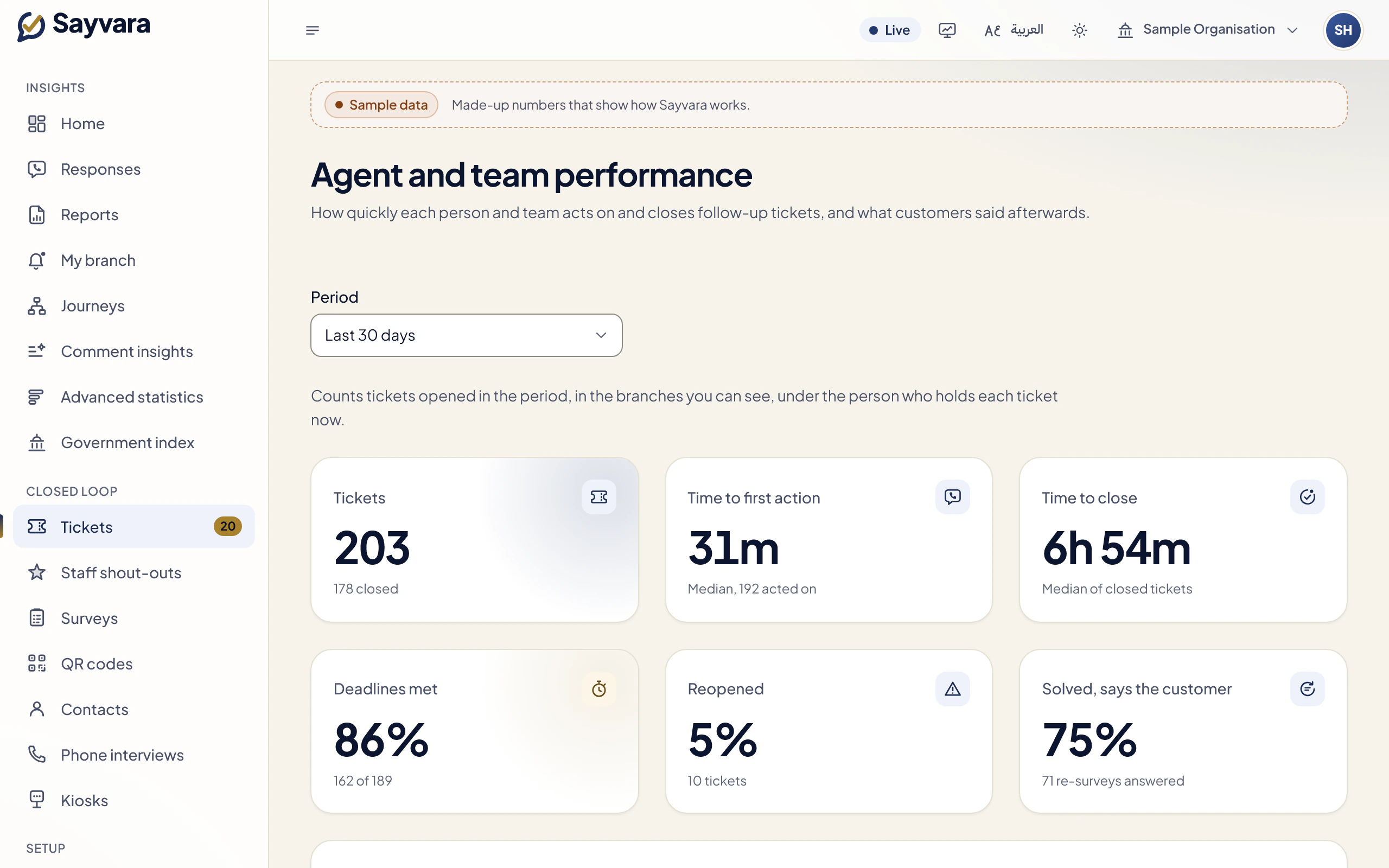
The tiles
| Tile | Meaning |
|---|---|
| Tickets | Tickets opened in the period, and how many are closed |
| Time to first action | Median time to the first note, reassignment or other change |
| Time to close | Median time to close, for closed tickets |
| Deadlines met | Tickets closed by their deadline, out of those due |
| Reopened | Tickets that were reopened |
The table
Use Group by to switch between People and Teams. Each row shows Tickets, Closed, First action, To close, On time, Reopened, Solved and Handling (the customer's rating of how the ticket was handled, out of 5).
The chart Closed by the deadline shows the trend.
How we count
- The report counts tickets opened in the period, in the branches you can see.
- Each ticket counts under the person who holds it now.
- Times are medians from when the ticket opened.
- Not assigned and No branch rows collect tickets without a person or branch.
Open How we count on the page for the full definitions.
Save a chart as an image
Charts in Sayvara have Save image. Choose PNG picture for slides and documents, or SVG drawing to keep it sharp at any size.
Related pages
Was this page helpful?
Thanks. Need more help? Email support@sayvara.com